

Mouse DPI Test: Measure Your Real Sensitivity
Move your mouse a known distance against a ruler and the tester counts the raw movement your sensor reports, giving you a measured DPI rather than the number on the box.
- No passes yet
Raw input status appears after your first click. Turn off pointer acceleration (Windows: Enhance pointer precision) for the most accurate reading.
DPI, or dots per inch, is how many movement counts your mouse sensor reports for every inch it travels. Set a mouse to 800 DPI and slide it one inch, and your computer should receive 800 counts. In practice the real figure often drifts from the setting by a few percent, sometimes much more on budget sensors. That is enough to make your aim feel different when you switch mice, even though every setting looks identical on paper.
This mouse DPI test measures the true value. You drag the mouse a known distance along a ruler, the tool counts exactly what the sensor reported, and the division gives your actual DPI. Several passes are averaged, and if you enter the DPI you configured, it shows how far off your sensor is.
How to measure your mouse DPI
- Place a ruler or tape measure flat beside your mouse pad. Pick a distance you can move comfortably, such as 4 inches or 10 centimetres.
- Enter that distance and choose inches or centimetres. Optionally type in the DPI set in your mouse software.
- Click the test area. Your pointer will lock so it cannot hit the edge of the screen.
- Line up the front edge of the mouse with the start of the ruler, hold the left button, slide the mouse straight to the end mark, and release.
- Repeat three to five times. Your average DPI and deviation update after each pass. Press Escape to unlock the pointer when you are finished measuring.
How the DPI calculation works
Counting raw movement
While the pointer is locked, the browser reports how far the mouse moved with every update, rather than where the cursor sits on screen. The tool adds up all of that movement between pressing and releasing the button. Because diagonal drift happens even when you try to move straight, it uses the full distance of the combined horizontal and vertical movement, so a slightly crooked slide still measures correctly.
Why raw input matters
Operating systems often apply acceleration, where fast movements are amplified more than slow ones. On Windows this is the Enhance pointer precision setting. Modern Chromium based browsers can request unadjusted movement that bypasses it entirely, and the tool tells you when that raw mode is active. If it is not, turn acceleration off and keep your system pointer speed at the default for an accurate reading.
The formula
DPI equals total counts divided by the distance in inches. A pass that records 3,240 counts over 4 inches gives 810 DPI. Centimetre measurements are converted using 2.54 centimetres per inch.
Why several passes beat one
A single slide is exposed to every small human error: the mouse starts a millimetre late, the hand wobbles, or the release comes just before the mark. Averaging three to five passes cancels most of that noise. The pass list keeps every measurement visible, so an obvious outlier stands out and you can clear the passes and try again rather than trusting a skewed average.
Reading your results
| Deviation from your setting | What it means |
|---|---|
| Within 2 percent | Excellent, likely just measurement error |
| 2 to 5 percent | Normal for many gaming sensors |
| 5 to 10 percent | Noticeable when switching mice, adjust in game |
| Over 10 percent | Check acceleration, surface and lift off settings |
Consistency between passes matters as much as the average. If individual passes vary by more than 5 percent, the issue is usually the measurement technique rather than the sensor: the mouse drifted off the line, the start or end point shifted, or you lifted slightly at the end.
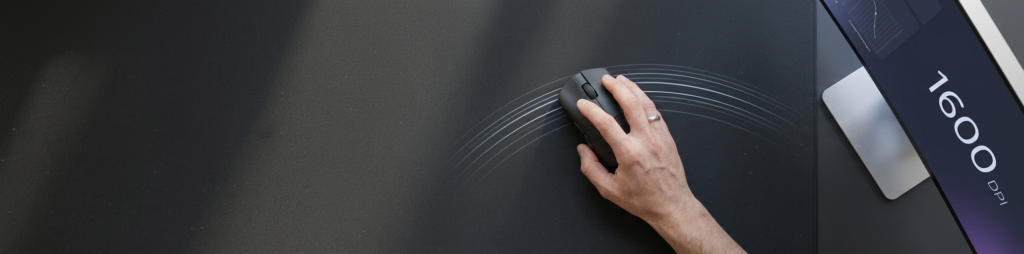
What to do with your real DPI
Match sensitivity across mice
Many players track effective sensitivity as DPI multiplied by in-game sensitivity. If your new mouse measures 780 when set to 800, raise the in-game value by about 2.5 percent and your muscle memory carries over.
Pick a sensible DPI
Most competitive players use 400 to 1600 DPI and tune sensitivity in game. Very high DPI does not make you more accurate, and some sensors add smoothing at extreme values.
Tips for a precise DPI measurement
- Use a longer distance. Errors of a millimetre matter less over 10 inches than over 2.
- Guide the mouse along the edge of a book or ruler so it travels straight.
- Measure from the same point on the mouse every time, such as the front edge.
- Keep the mouse flat. Tilting near the end can cause the sensor to lose tracking.
- Test on your usual mouse pad, since surface texture affects tracking and the result should match real use.
DPI is one half of how your mouse talks to your PC. The other half is how often it reports, which you can measure with the mouse polling rate test. Once your sensitivity feels right, put it to work in the aim trainer or the mouse accuracy test, and if anything feels wrong with the buttons along the way, the mouse test and double click test will find it.
Frequently asked questions
What is a good DPI for gaming?
Most competitive FPS players use between 400 and 1600 DPI and fine tune with in-game sensitivity. Higher DPI suits large, high resolution screens and desktop use. There is no single best value, only what feels controllable to you.
Is DPI the same as CPI?
Yes, in practice. CPI, counts per inch, is the technically accurate term for mouse sensors. DPI is the more common name, and both describe the same thing.
Why does my measured DPI differ from the setting?
Sensors are rarely perfectly calibrated, and surface texture, lift off distance and acceleration all affect the reading. A few percent deviation is normal.
Does this DPI test work on a laptop touchpad?
It can run, but touchpads apply their own acceleration and scaling, so the result will not reflect a fixed DPI value. The test is designed for mice.
Why does my cursor disappear during the test?
The tool uses pointer lock so your movement is never stopped by the screen edge. Press Escape at any time to get the cursor back.
What DPI do professional players use?
Many competitive players use 400 or 800 DPI and set sensitivity in game, which gives precise control with larger arm movements.
Is higher DPI always better?
No. Very high DPI can make small hand movements jumpy. Pick a DPI that feels controllable and adjust in-game sensitivity from there.
Why is my measured DPI different from the setting?
Mouse sensors often vary a few percent from the advertised value, and measuring by hand adds some error. Repeat the test a few times and average.
Does Windows pointer speed affect the result?
Yes. Set pointer speed to the middle notch and turn off Enhance pointer precision for an accurate reading.
Related tools
Right sensitivity. Now check how often it reports.
A precise sensor still feels sluggish if its polling rate is low. Find out what really reaches your PC.